
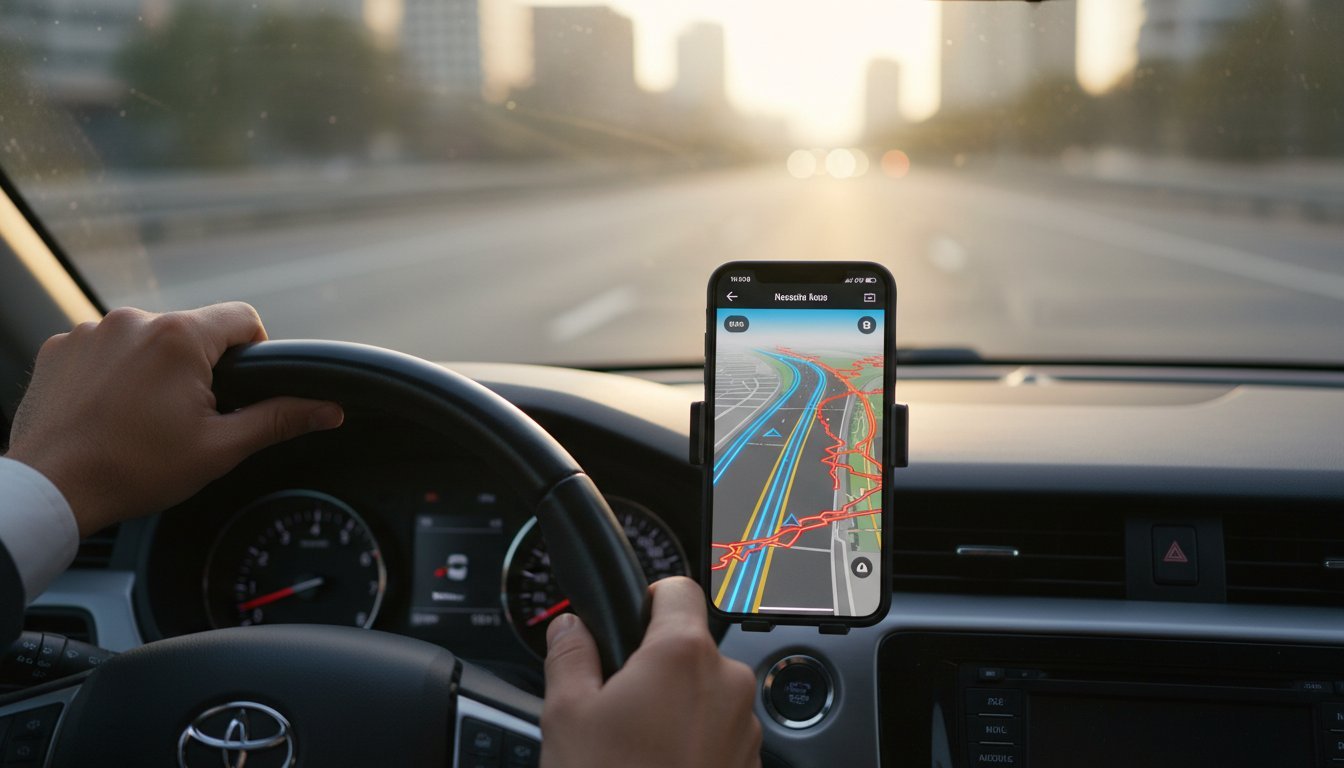

You drove 20 miles. Your app tracked 15. That’s not just frustrating-it’s money straight out of your pocket. You rely on your phone for accurate mileage, but phantom routes and missed distances can make you feel like you’re losing the battle. The real challenge isn’t the drive; it’s keeping your phone’s gps on track so every single mile gets counted. No more guesswork.
But what if you could fix it? Easily. Forget the frustration of manual corrections and dead batteries. This guide cuts through the technical jargon and gets straight to the solution. We’ll show you exactly why your phone’s location tracking can be so unreliable and give you a simple, fast checklist to guarantee it works flawlessly. Get ready for pinpoint-accurate mileage logs, maximized tax deductions, and a tracking system you can finally trust.
Why GPS Accuracy is Crucial for Mileage Tracking
When you’re tracking mileage for business, every mile counts. Inaccurate logs aren’t just a minor annoyance-they have a direct impact on your wallet and your time. Whether you’re a freelancer claiming tax deductions or an employee submitting expenses, precision is key. An unreliable system means you’re either leaving money on the table or spending hours manually correcting flawed trip data. Getting your gps on track from the start is about more than just convenience; it’s a financial necessity.
To see how simple and effective proper tracking can be, check out this quick overview:
The Cost of Inaccuracy: Real-World Examples
Think a few missed miles don’t matter? Think again. If you miss just 10 business miles per week, at the standard IRS rate, you could be losing hundreds of dollars in deductions by the end of the year. Furthermore, inconsistent or messy logs are a major red flag for tax audits. Even the technology itself, the Global Positioning System, can sometimes experience ‘GPS drift,’ which adds extra, unclaimable miles to your route. A reliable tracker filters out these errors, ensuring your logs are clean and defensible.
Beyond Mileage: Other Uses for Accurate Tracking
Keeping your team’s GPS on track offers benefits far beyond simple mileage logs. For businesses with field teams, accurate real-time data is a game-changer. It unlocks a new level of efficiency and customer service.
- Team Coordination: Instantly see where your crew members are to dispatch the closest person to a new job.
- Accurate ETAs: Provide customers with reliable arrival times, improving their experience and your reputation.
- Proof of Service: Create a verifiable record of service calls, deliveries, and site visits with timestamped location data.
How Your Smartphone’s GPS *Actually* Works (The Simple Version)
Ever wonder how that tiny device in your pocket knows exactly where you are? Think of it like listening to multiple, hyper-accurate clocks orbiting in space. That’s the core idea behind the Global Positioning System (GPS). A network of satellites circles the Earth, each one broadcasting a signal with its precise location and time.
Your phone’s receiver picks up these signals. By calculating the tiny time difference between when each signal was sent and when it was received, your phone can triangulate your position on the map. It’s a brilliant system, but getting that first “fix” can be slow. That’s where your data connection helps.
Modern phones use Assisted GPS (A-GPS), which gets a head start by using cell tower data to get a rough idea of your location first. It then knows which satellites to listen for, resulting in a near-instant lock. For even more precision, especially indoors, your phone also uses nearby Wi-Fi networks and Bluetooth signals to refine its position.
What is GPS Signal Lock?
To keep your gps on track, your phone needs to establish a “signal lock” by getting a clear line of sight to at least four satellites. This allows it to accurately determine your latitude, longitude, and altitude. However, many things can get in the way:
- Physical Obstructions: Tunnels, underground garages, dense forests, and even heavy cloud cover can block weak satellite signals.
- “Urban Canyons”: Being surrounded by tall buildings makes it hard for your phone to see enough of the sky.
- New Locations: If you just landed after a flight, your phone’s GPS has to find a whole new set of satellites, which can take a minute or two.
Why Phones Aren’t Perfect: Sources of Error
Even with a clear view of the sky, your phone’s GPS isn’t flawless. In dense cities, signals can bounce off tall buildings before reaching your device. This “multipath error” confuses your phone, causing your location to jump or drift. Additionally, signals can be slightly delayed as they pass through the Earth’s atmosphere, introducing small inaccuracies.
Ultimately, a smartphone contains a small, consumer-grade GPS chip built for efficiency, not military-grade precision. These hardware limitations are among the key smartphone GPS accuracy factors that can affect your mileage log. Understanding these potential errors is the first step to ensuring your trip data is as reliable as possible.
Common Culprits: Why Your Mileage Tracking is Off
You hit the road, expecting a perfect log of your trip, but the final report is full of gaps and straight lines cutting through city blocks. Frustrating, right? The good news is the fix is usually simple. Before you blame the app, let’s look at the real reasons your mileage tracking gets derailed. Most of the time, the problem isn’t the app-it’s your phone’s settings or its environment.
Outdated app software or a buggy phone OS can also cause unexpected issues. The fix is simple: keep everything updated. But for consistent problems, the culprits below are far more likely.
The #1 Problem: Battery Saver & Location Settings
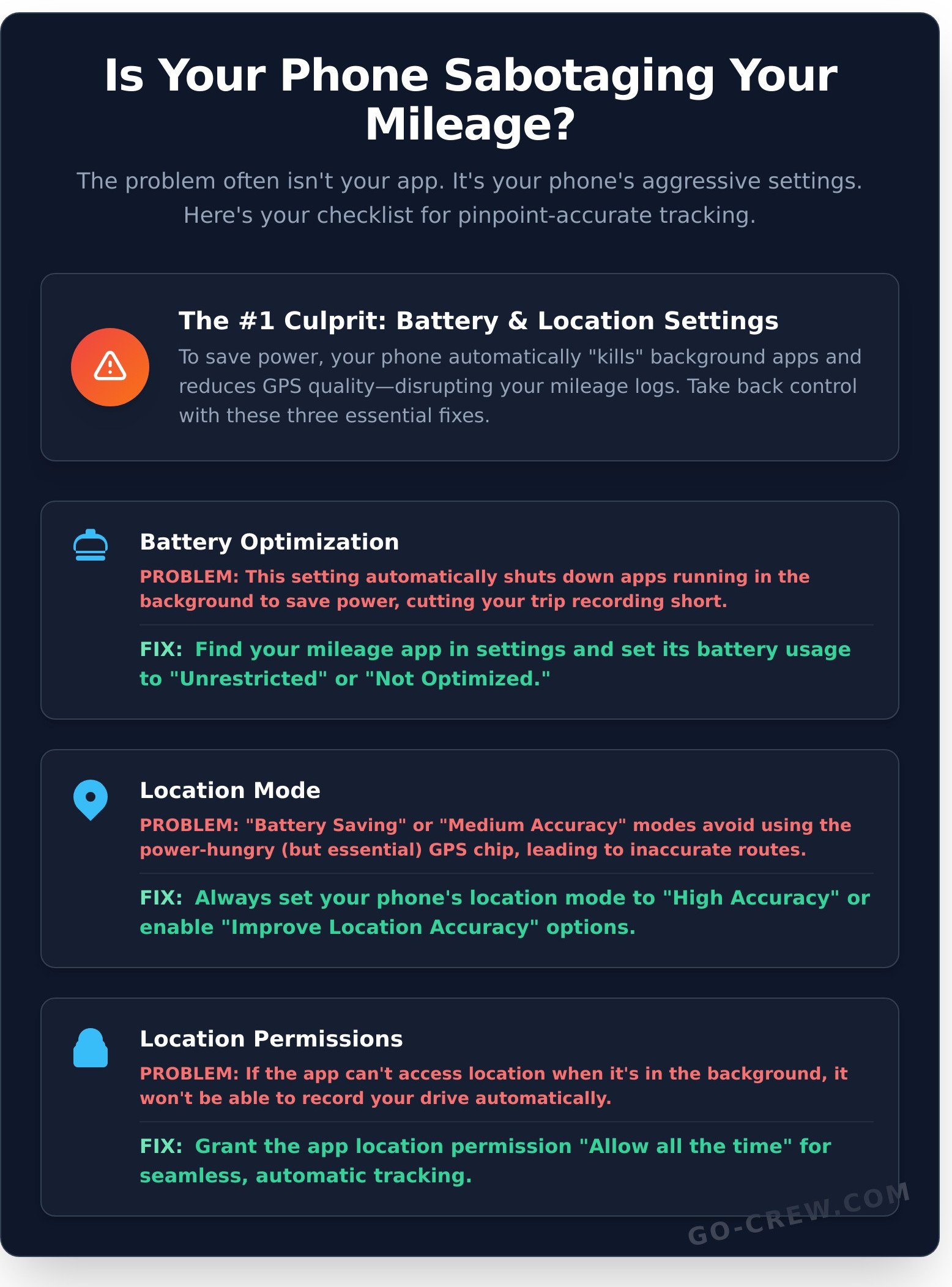
Your smartphone is designed to be efficient, but its aggressive power-saving features are the biggest enemy of accurate mileage tracking. To keep your gps on track, you need to tell your phone that your tracking app is a priority. Here’s the breakdown:
- Battery Optimization: This feature automatically “kills” apps running in the background to save power. Since a mileage tracker must run continuously, this setting will shut it down mid-trip. You must disable optimization for your tracking app.
- Location Mode: Your phone has different accuracy levels. Always choose “High Accuracy” (or “Improve Location Accuracy”). The “Battery Saving” mode avoids using the power-hungry GPS chip, resulting in wildly inaccurate data.
- Location Permissions: For seamless, automatic tracking, your app needs location permission set to “Allow all the time.” Anything less means it can’t record your drive when the app isn’t open on your screen.
A low phone battery (under 20%) can also automatically trigger these restrictive modes, so start your drive with a healthy charge.
Hardware and Environmental Factors
Your phone’s GPS receiver needs a clear, unobstructed line of sight to the sky. It works by triangulating your position from signals sent by multiple satellites orbiting the Earth. If you want to dive deeper into the technology, the official government source explains in detail how GPS satellites work. When something gets in the way of those signals, your tracking accuracy drops.
Common physical blockers include:
- Poor Phone Placement: Tucking your phone in a glove box, center console, or your pocket is a recipe for signal loss. The best spot is on a dashboard or windshield mount.
- Interfering Phone Cases: Thick, rugged cases or those with metal plates and magnets can physically block or interfere with your phone’s internal GPS antenna.
- The Environment: Driving through tunnels, deep “urban canyons” surrounded by skyscrapers, or even during severe weather can temporarily interrupt the satellite connection.
Your Checklist: 7 Steps to Keep Your GPS On Track
Inaccurate mileage logs and dropped signals can be frustrating, but the fix is usually simple. Most tracking problems aren’t caused by a faulty GPS but by incorrect settings or a poor environment. This no-nonsense checklist is the fastest way to get your gps on track and ensure every mile is counted. Let’s dive in.
Step 1-3: Check Your Phone’s Core Settings
Your phone’s settings are the command center for location data. Getting these right is the most critical step for accurate tracking. These three adjustments solve the majority of issues.
- Step 1: Enable High-Accuracy Location. Give your app the best tools. On Android, go to Settings > Location and set the mode to ‘High accuracy’. On iOS, navigate to Settings > Privacy > Location Services, select your tracking app, and ensure ‘Precise Location’ is toggled on.
- Step 2: Grant Full-Time Permissions. For seamless tracking, your app needs to run in the background. In your app’s location settings, choose ‘Allow all the time’ (Android) or ‘Always’ (iOS). This prevents the track from stopping when you switch apps.
- Step 3: Disable Battery Optimization. Aggressive power-saving modes can shut down GPS apps mid-trip. Find your app in Settings > Apps, then look for the Battery or Power Management section and select ‘Don’t optimize’ or ‘Unrestricted’.
Step 4-5: Keep Everything Updated
Outdated software is a common source of unexpected glitches. A quick update and a restart are powerful tools for maintaining performance.
- Step 4: Update Your Phone’s OS. Manufacturers constantly release updates that improve GPS stability and fix bugs. Always install the latest OS version available for your device.
- Step 5: Update Your App & Restart. App developers fine-tune their tracking algorithms with each new release. For good measure, restart your phone weekly to clear out temporary files that can slow it down.
Step 6-7: Optimize Your Physical Environment
Finally, where your phone is and what it can connect to makes a huge difference for signal strength and accuracy.
- Step 6: Position Your Phone for a Clear Signal. Your phone needs a clear view of the sky. Keep it on a dashboard mount or in a windshield cradle-not in your pocket, center console, or glove box.
- Step 7: Turn On Wi-Fi and Bluetooth. Even if you aren’t connected, keeping these on allows your phone to use nearby signals to pinpoint its location faster. This is key to keeping your gps on track in urban areas or when a satellite signal is weak.
Running through these steps solves over 90% of common tracking issues. But if you’re tired of fighting with unreliable software, you need an app built for performance from the ground up. Want an app built for reliability? Try Go Crew for free.
Choosing a Tracking App That Stays On Track
You’ve tried the fixes, tweaked the settings, and rebooted your phone. But what if the problem isn’t your device, but your app? Instead of constantly fighting for accuracy, the real solution is choosing a tool designed to perform from the start. The market is flooded with options, from massive fleet management systems to lightweight personal trackers. The secret isn’t more features-it’s the right features that work without getting in your way and keep your gps on track.
What to Look For in a Mileage Tracking App
When you’re on the move, you need an app that just works. Forget complicated setups and endless menus. A reliable app should feel like a natural extension of your workflow, not another task to manage. Focus on these three core essentials for simple, accurate mileage logging:
- Simplicity: A clean, intuitive interface is non-negotiable. You should be able to start and stop tracking in seconds. The best apps get out of your way so you can focus on the road.
- Reliability: The app must run smoothly in the background without being shut down by aggressive battery-saving modes. Consistent background processing is the key to capturing every mile of your journey without gaps.
- Low Battery Usage: Nothing is worse than a tracking app that kills your phone. Look for smart, efficient tracking that records your route precisely without draining your battery before you reach your destination.
Why Go Crew is the Simple Choice
Many apps are built for large corporations, packed with complex analytics and features that individuals and small teams will never use. They’re often clunky, expensive, and total overkill. We built Go Crew on a different philosophy: TIME-SAVING & SIMPLICITY. It’s a powerful tool designed to be fast, effective, and completely user-friendly from the moment you open it.
Go Crew provides precise, real-time tracking that’s perfect for logging trips as they happen. There’s no need for manual entry or post-trip corrections. Even better, it’s built for collaboration. Create a group in seconds and track mileage together, whether you’re a small delivery team, a group on a road trip, or a cycling club. It’s group location sharing that couldn’t be easier.
Stop wrestling with bad data and complicated software. Get an app that respects your time and your phone’s battery. Download Go Crew and get on track today.
Your Final Checkpoint for Flawless Mileage Tracking
Accurate mileage tracking isn’t about luck. It’s about understanding how your device works and tackling common issues like poor signal or incorrect settings. By using a simple checklist, you can consistently keep your gps on track and guarantee every mile is logged with precision. The right setup makes all the difference.
But the most critical step is choosing a tool built for reliability. Stop wasting time with frustrating, inaccurate apps. Go Crew is designed for one thing: TIME-SAVING & SIMPLICITY. Get the data you need without the hassle. It’s Easy | Fast | Real-time, making it the perfect solution for individuals and small teams who demand accuracy that just works.
Ready to put an end to mileage guesswork? Download Go Crew for free and experience simple, reliable tracking.
Start your journey to effortless tracking now.
Frequently Asked Questions
How can I test if my phone’s GPS is accurate?
The easiest way is to use a dedicated GPS testing app. These show you satellite connections and precise coordinates. For a quick real-world check, stand at a known landmark, like a specific street corner, and see if your map’s blue dot aligns with your physical location. If it’s consistently off by more than a few meters, your phone’s GPS might need a quick calibration through your device settings or a compass app.
Does using GPS for tracking use a lot of mobile data?
Not really. The GPS signal itself is free and uses no data. The data consumption comes from your tracking app downloading map visuals or syncing your trip to the cloud. Most modern apps are highly efficient, using only a few megabytes per hour. To save data, look for an app with an offline mode, allowing you to download maps over Wi-Fi before you hit the road. This keeps everything running smoothly without touching your data plan.
Why does my GPS location sometimes jump around when I’m stationary?
This is known as ‘GPS drift.’ It happens when signals from satellites bounce off large objects like buildings or trees before reaching your phone. This ‘multipath interference’ confuses your device, causing it to make small, incorrect adjustments to your position. Moving to an open area with a clear view of the sky usually stabilizes the signal and helps keep your GPS on track and locked in place.
Can a tracking app work without an internet connection?
Yes, absolutely. Your phone’s built-in GPS receiver works independently of any internet connection to pinpoint your location. A good tracking app can record your entire trip using just these GPS coordinates and save it locally on your device. You will only need an internet connection later to view the trip on a map or to sync the data to your online account. This makes tracking possible even in remote areas.
Is a dedicated GPS device more accurate than a smartphone?
In the past, yes. But today, the gap is very small. Dedicated devices have larger antennas and are built for one purpose, giving them an edge in tough conditions like dense urban canyons. However, high-end smartphones now have incredibly advanced GPS chips that are more than precise enough for accurate mileage tracking. For most drivers, a quality app on a modern phone will keep your GPS on track with excellent reliability.
How do I stop a mileage tracking app from draining my battery?
The best fix is to adjust the app’s location permissions. Set it to ‘While Using the App’ instead of ‘Always’ to prevent background tracking. Many apps also offer a battery-saving mode that reduces how often it checks your location. Dimming your screen and closing other unneeded apps also helps. For long drives, simply plugging your phone into a car charger is the most effective way to ensure you arrive with a full battery.
