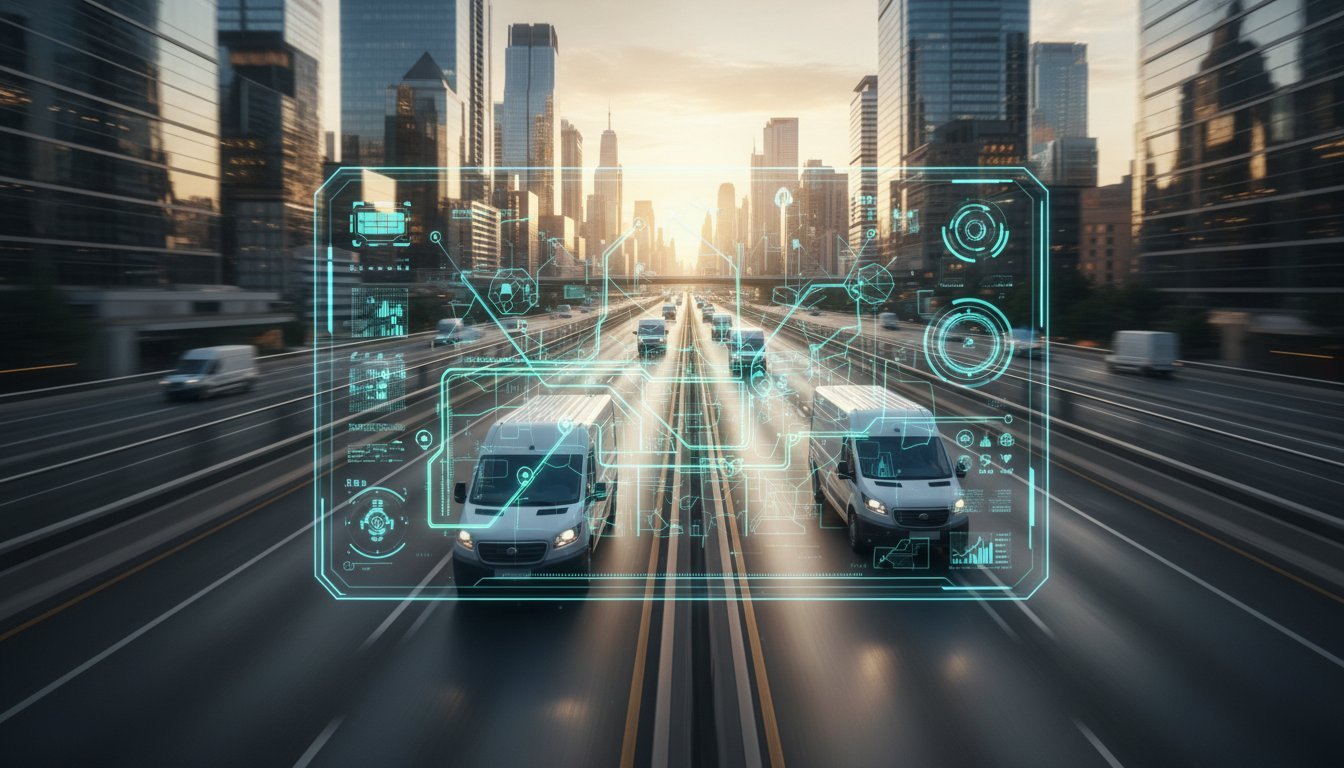

Where’s that delivery? Why are fuel costs skyrocketing? Is there a simple way to see your entire fleet on one map, right now? If these questions sound familiar, you’re not alone. Managing a mobile team often feels like trying to solve a puzzle with missing pieces. But the solution is simpler and more affordable than you think. The right gps fleet tracking software gives you a real-time view of your entire operation, streamlines routes, and puts you back in control.
Forget overwhelming dashboards and expensive, hard-wired boxes that require downtime for installation. This is your straightforward guide for 2026. We’ll break down the key features that actually matter, compare easy app-based solutions versus traditional hardware, and help you choose the perfect system to boost your efficiency. Get ready to improve driver accountability, cut costs, and provide customers with the accurate ETAs they love. Fleet management couldn’t be easier than this.
What is GPS Fleet Tracking Software (And Why It’s a Game-Changer)
At its core, gps fleet tracking software is a centralized platform that uses GPS technology to monitor your company’s vehicles in real-time. It gives you a live, bird’s-eye view of your entire operation, turning complex logistics into simple, actionable data. This technology is a key component of a modern fleet telematics system, designed to boost operational efficiency and give you total control from a single dashboard.
To see how this works in practice, check out this quick overview:
The goal is simple: save time and money. By knowing where your assets are and how they’re being used, you can unlock major benefits like lower fuel costs, higher team productivity, and better customer service. Traditionally, this meant installing clunky, expensive hardware in every vehicle. Today, the game has changed. Modern, app-based solutions like Go Crew for Business offer the same power with more flexibility and a fraction of the cost, installed in minutes on your team’s existing smartphones.
Boosting Efficiency and Cutting Costs
This isn’t just about dots on a map; it’s about making smarter business decisions. Here’s how you start winning immediately:
- Optimize Routes: Find the fastest, most fuel-efficient routes for every job. Less time on the road means more work done.
- Eliminate Waste: Put a stop to unauthorized vehicle use, personal side trips, and excessive idling that burn through your fuel budget.
- Monitor Driver Behavior: Keep an eye on habits like speeding or harsh braking to reduce wear and tear and lower insurance premiums.
- Deliver Better Service: Provide customers with accurate, real-time ETAs, building trust and improving satisfaction.
Improving Accountability and Security
Real-time visibility creates a culture of trust and responsibility. With clear data, guesswork disappears and your business is better protected:
- Accurate Records: Get a digital log of every route, stop, and visit duration, perfect for verifying job completion.
- Simplified Payroll: Easily confirm work hours and mileage to resolve timesheet questions and payment disputes.
- Vehicle Security: In the unfortunate event of theft, instantly locate your vehicle to aid in a fast recovery.
- Promote Safety: Encourage safer driving habits across your team by creating clear performance benchmarks.
Essential Features: What to Look For in Fleet Tracking Software
The market for gps fleet tracking software is packed with options, and it’s easy to get lost in a sea of enterprise-level features you’ll never use. While industry reports often compare the best GPS fleet tracking software solutions, the most important factor for a small business is simplicity. The “best” system isn’t the one with the longest feature list; it’s the one you and your team will actually use every single day.
Let’s cut through the noise. We’ve grouped the essential functions into two simple categories: the absolute must-haves that form the foundation of any good system, and the valuable ‘smart’ features that deliver next-level efficiency without the complexity.
Must-Have Core Features
These are the non-negotiable basics. Without them, you’re just looking at a map. A solid fleet tracking platform must deliver these four things flawlessly.
- Real-Time GPS Tracking: See the live location of all your vehicles and assets on a single, easy-to-read map. No more “where are you?” phone calls. Just instant visibility.
- Location History & Trip Replay: Quickly review past routes to verify job completion, optimize future trips, or resolve customer disputes. See exactly where a vehicle was and when it was there.
- Basic Reporting: Access the data that truly matters for your bottom line. Track mileage for expense reports, monitor travel time for payroll, and review speed to encourage safer driving habits.
- Mobile Access: Your business doesn’t stop when you leave the office. A powerful, user-friendly mobile app is essential for managing your fleet from a job site, your truck, or anywhere in between.
Valuable ‘Smart’ Features
Once the core functions are covered, these smart features add a layer of automation and intelligence that saves you time and reduces headaches. They work for you in the background.
- Geofencing: Set up virtual boundaries around key locations like job sites, supply houses, or your main yard. Receive automatic alerts when a vehicle enters or exits an area.
- Customizable Alerts: Stay informed without being glued to a screen. Create notifications for events that matter to you, such as speeding, excessive idling, or unauthorized after-hours use.
- Group Management (‘Crews’): Don’t just track a random list of vehicles. Organize them into logical teams-like your ‘Service Crew’ or ‘Delivery Crew’-for a cleaner overview and more efficient dispatching.
- Simple User Interface: The most powerful feature is one that’s effortless to use. The platform should be intuitive for everyone, from the owner to the driver, requiring minimal training to get started.
Hardware vs. App-Based Tracking: Which is Right for Your Business?
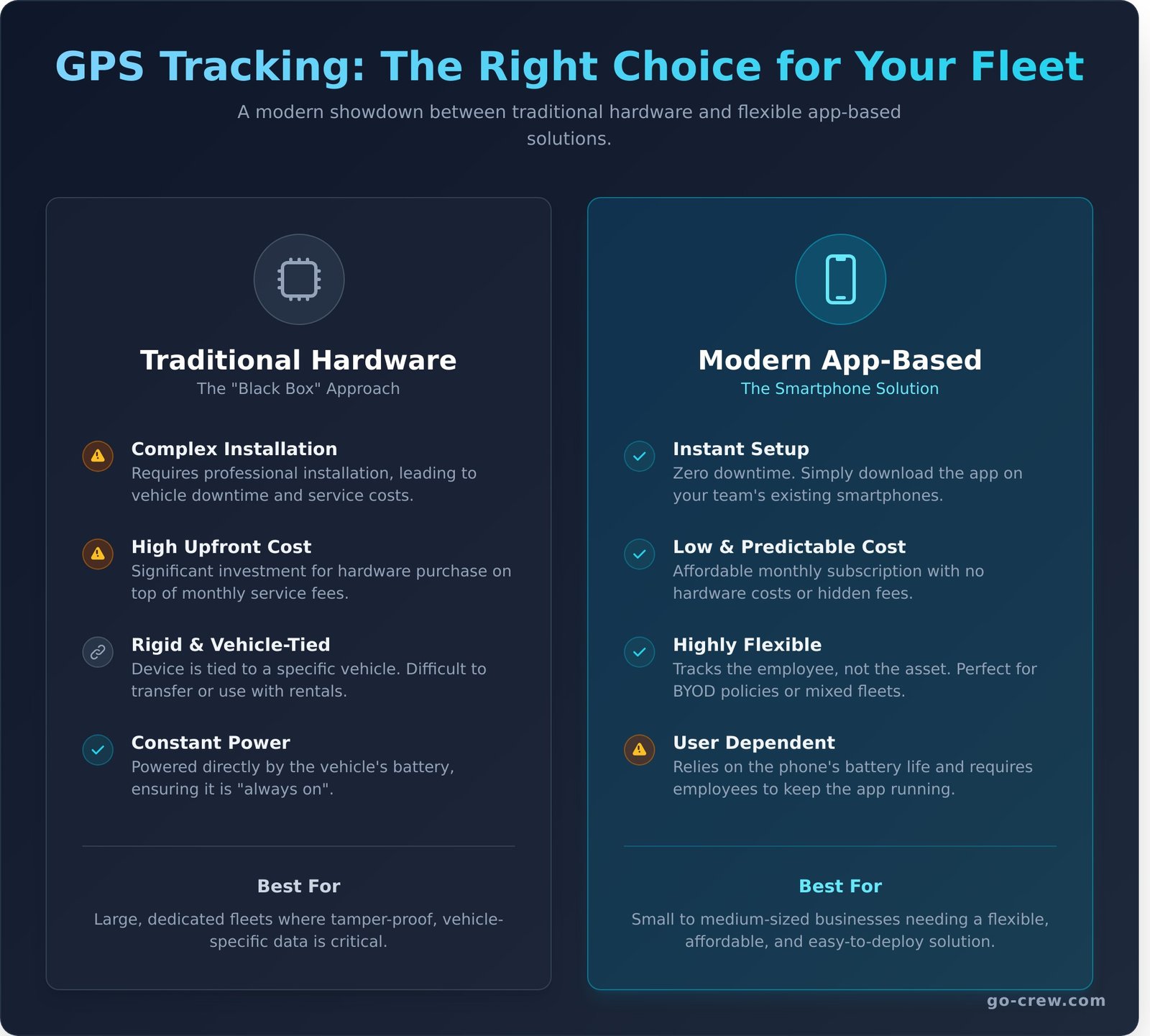
Choosing the right gps fleet tracking software is a critical step. The biggest decision you’ll face is between traditional, hardwired devices and modern, app-based solutions. One requires a significant upfront investment and professional installation, while the other gets you started in minutes. Let’s break down the differences so you can make the smart choice for your team.
Traditional Hardware-Based Systems
This is the old-school approach. A physical GPS “black box” is professionally installed in each vehicle, often connecting directly to its onboard diagnostics (OBD) port. These systems are robust and, as detailed in in-depth research from Utah State University, involve complex hardware components for constant data transmission. While they offer deep vehicle data, they come with significant drawbacks in cost and flexibility.
Modern App-Based Software (BYOD)
The “Bring Your Own Device” (BYOD) model turns any smartphone into a powerful tracking tool. Instead of installing hardware, your team simply downloads an app like Go Crew. Setup is instant. This approach leverages the technology your employees already carry, making it incredibly flexible and scalable for businesses of any size, especially those using personal or rental vehicles for work.
.comparison-table { width: 100%; border-collapse: collapse; margin: 2em 0; font-size: 0.9em; }
.comparison-table th, .comparison-table td { border: 1px solid #e0e0e0; padding: 12px; text-align: left; vertical-align: top; }
.comparison-table th { background-color: #f7f7f7; font-weight: bold; }
.comparison-table .pros::before { content: ‘✓ ‘; color: #28a745; font-weight: bold; }
.comparison-table .cons::before { content: ‘✗ ‘; color: #dc3545; font-weight: bold; }
| Feature | Hardware-Based Systems | App-Based Software (Go Crew) |
|---|---|---|
| Upfront Cost | High per-vehicle hardware cost | Zero hardware cost |
| Installation | Requires professional installation & vehicle downtime | Instant-just download the app |
| Flexibility | Tied to specific vehicles; difficult for rentals | Works with any vehicle (company, rental, personal) |
| Data Source | Always on, tamper-resistant, can pull OBD data | Relies on phone battery and data connection |
| Best For | Large enterprises with dedicated, high-value fleets | Agile SMBs, service teams, delivery, and sales fleets |
The Verdict for Small Businesses
For most small to medium-sized businesses, the choice is clear. The complexity, cost, and rigidity of hardware systems are overkill. A modern, app-based gps fleet tracking software provides all the essential location data you need without the headache. It’s about simplicity and time-saving-the core of smart business operations.
If you manage a team of service technicians, delivery drivers, or sales reps, the flexibility and zero-cost entry of an app-based system is the obvious winner. You can be up and running in the time it takes to drink a cup of coffee.
Ready for a simpler way? See how Go Crew works.
How to Choose the Right Software in 5 Simple Steps
Choosing a fleet management tool doesn’t have to be complicated. The right platform saves you time and money, while the wrong one creates more work. This simple 5-step checklist cuts through the noise and helps you find the perfect gps fleet tracking software for your team’s unique needs. Let’s get started.
Step 1: Define Your Primary Goal
Before you look at any features, ask yourself: what is the number one problem you need to solve? Getting clear on your main objective is the most important step. Are you trying to reduce fuel costs, improve customer service with accurate ETAs, or simply increase team accountability? Your primary goal will guide every other decision.
Step 2: List Your ‘Must-Have’ Features
Now that you have a goal, list the top three features that directly support it. Don’t get distracted by a long list of bells and whistles you’ll never use. For most businesses, the essentials are:
- Real-time, accurate location sharing
- Simple route history and playback
- Easy team management and invites
Step 3: Set a Realistic Budget
Understand the total cost. Some providers have hidden fees for hardware, installation, and setup. Look for transparent pricing-a simple per-user or per-vehicle monthly fee is often best. Prioritize solutions with no long-term contracts. This gives you the flexibility to adapt as your business grows, without being locked into a system that no longer works for you.
Step 4: Prioritize Simplicity and Speed
The best gps fleet tracking software is the one your team will actually use. How much time can you afford for training? Look for a clean, intuitive interface that you can understand in minutes, not hours. Can you and your team get started immediately without a lengthy sales demo or complicated onboarding? Your time is valuable-choose a tool that respects it.
Step 5: Always Try Before You Buy
Never commit to a platform without testing it in a real-world environment. A free trial or a free-forever plan is non-negotiable. Get a few of your team members to use the app in the field. See how it performs. A simple, app-based solution like Go Crew lets you create a group and start tracking for free, so you can see the value instantly, without any commitment.
Go Crew: The Simple, Hardware-Free Fleet Tracking Solution
You’ve seen what makes a great fleet management tool: it needs to be accurate, easy to use, and affordable. Traditional systems often fail on the last two points, burying small businesses in complex hardware and expensive contracts. Go Crew was built to be different. It’s the simple, app-based solution designed to save you time and eliminate hassle, giving you the operational visibility you need without the overhead.
Get Started in 60 Seconds, Not Days
Forget scheduling installation appointments or deciphering wiring diagrams. With Go Crew, your fleet is online in the time it takes to drink your morning coffee. Simply create your ‘Crew’ in the app, invite your drivers via a link, and as soon as they join, you’ll see your entire team on a live map. It’s real-time coordination, made instant.
All the Features You Need, None You Don’t
We believe powerful gps fleet tracking software shouldn’t require a user manual. Go Crew focuses on the essential tools that directly impact your efficiency and accountability. You get exactly what you need to manage your team effectively:
- Live Location Tracking: See where every vehicle and team member is in real-time.
- Speed & Status: Monitor current speed to encourage safe driving habits.
- Location History: Easily review routes and verify job completion or service calls.
- Simple Crew Management: Organize your team into groups for a clean, focused view.
There are no overwhelming dashboards or complex reports to decipher-just the critical information you need, presented clearly and simply.
Affordable and Scalable for Any Size Fleet
The biggest barrier for most fleet tracking systems is cost. Expensive per-vehicle hardware and binding contracts just don’t work for a growing business. Go Crew eliminates this entirely. Because it’s a software-only solution, you avoid all hardware costs. Start for free to see how it works, and as your business grows, you can easily upgrade to a Premium or Enterprise plan that fits your needs. It’s the most flexible and cost-effective way to manage your mobile workforce.
Ready to see how simple fleet management can be? Create your first crew for free and see the difference.
Take Control: Your Simple Path to Smarter Fleet Management
As we’ve explored, choosing the right gps fleet tracking software is a pivotal decision that can redefine success for your small business in 2026. It’s not just about dots on a map; it’s about unlocking powerful insights to boost efficiency, slash operational costs, and gain a real competitive edge. The key takeaway is that the best solution fits your unique workflow, whether that involves dedicated hardware or the modern flexibility of a simple, app-based system.
This is where Go Crew changes the game, focusing on what matters most: TIME-SAVING & SIMPLICITY. Forget expensive hardware and complicated installations. You can have your entire team online and tracked in under a minute, using only their smartphones. Ready to experience the difference? Download Go Crew and start tracking your fleet for free!
Your journey to a more efficient, connected, and streamlined business starts now. Take the first step today.
Frequently Asked Questions
Do I need to buy special hardware for GPS fleet tracking?
Absolutely not. Go Crew for Business is designed for simplicity and speed, turning your team’s existing smartphones into powerful tracking devices. There’s no need to buy or install expensive black boxes or other dedicated hardware in your vehicles. Your crew just needs to download the app, and you get instant, real-time location data. It’s fleet management without the hardware hassle, saving you time and money from day one.
How much does GPS fleet tracking software typically cost?
Traditional systems often come with high costs, including hardware fees and long-term contracts, typically ranging from $15 to $45 per vehicle per month. Go Crew for Business offers a more flexible and affordable approach. Our pricing is straightforward and based on the number of users, not vehicles. This makes our gps fleet tracking software an incredibly cost-effective solution for businesses of all sizes, eliminating hidden fees and complex installation costs.
Is it legal to track my company’s vehicles and employees?
Yes, it is generally legal to track company-owned vehicles. However, laws can vary by state and country, especially regarding tracking employees during non-work hours. The best practice is to be completely transparent with your team. Create a clear written policy that explains what you are tracking and why. This builds trust and ensures you comply with local privacy regulations, making fleet management a positive tool for everyone.
How accurate is GPS tracking that uses a smartphone app?
Modern smartphones have incredibly sophisticated GPS technology, often rivaling dedicated hardware. The accuracy of Go Crew’s tracking is typically within a few meters, depending on factors like cellular signal and satellite visibility. For most business operations-like dispatching the nearest driver or verifying a delivery location-this level of precision is more than enough to boost efficiency and provide reliable, real-time location data for your entire fleet.
What’s the difference between fleet tracking and asset tracking?
It’s all about what you’re tracking. Fleet tracking focuses on moving vehicles and the people operating them, providing real-time data on location, routes, and status. It’s dynamic. Asset tracking, on the other hand, typically monitors non-powered or stationary equipment like trailers, containers, or heavy machinery. While Go Crew excels at fleet tracking, the core principle is knowing where your valuable resources are at all times.
Can this software help me reduce my fuel expenses?
Definitely. Go Crew helps you slash fuel costs in several key ways. By viewing your entire team’s location on one map, you can dispatch the closest person to a new job, cutting down on unnecessary mileage. You can also analyze route history to identify and correct inefficient driving patterns. This smarter routing and dispatching directly translates into significant savings at the pump, making your operations more profitable and eco-friendly.
How quickly can I get started with a system like Go Crew?
You can be up and running in minutes. That’s not an exaggeration. Since Go Crew for Business is a software-based solution, there’s no hardware to ship or install. Simply create your business account, invite your team members to download the app, and you can start tracking immediately. Our goal is time-saving and simplicity, getting you from sign-up to a fully visible fleet faster than any traditional system. It couldn’t be easier.
