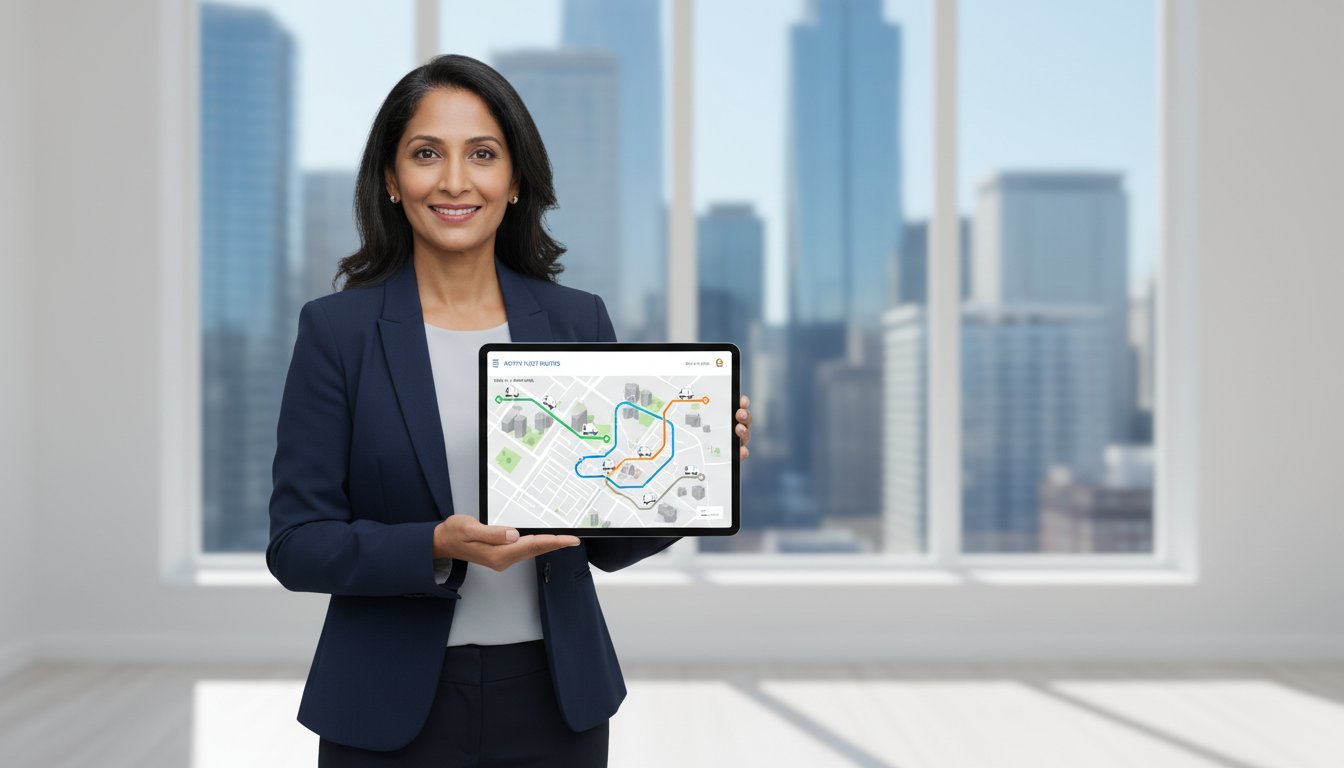

Drowning in quotes for fleet management systems that cost a fortune? Tired of complex software that requires a PhD to operate? We hear you. As a small business, you don’t need a dozen features you’ll never use or a system that demands complicated hardware installation. You need simple, real-time tracking that gets the job done. Fast. This is the power of low cost fleet management, and it’s built to deliver maximum efficiency without the enterprise-level price tag. It’s all about time-saving and simplicity.
This ultimate guide cuts straight to the point. We’ll show you exactly how to see your entire team on a single map, slash fuel costs by stopping unauthorized trips, and improve your customer response times instantly. Forget steep learning curves and frustrating setups. You’ll discover how to implement a powerful, budget-friendly system that you can get up and running in minutes. Ready to take back control of your fleet without breaking the bank? Let’s get your team moving smarter.
Key Takeaways
- Understand that effective low cost fleet management focuses on core needs, letting you skip expensive contracts and mandatory hardware.
- Pinpoint the exact features your business needs to avoid overpaying for complex, enterprise-level software you won’t use.
- Discover the key differences between app-based and hardware tracking to make the smartest, most budget-friendly choice for your team.
- Follow a simple 4-step roadmap to get your new fleet strategy up and running quickly and without the usual complexity.
What is Low-Cost Fleet Management? (And Why It’s Not Just ‘Cheap Software’)
When you hear ‘low-cost,’ it’s easy to think ‘cheap’ or ‘low-quality.’ But low-cost fleet management isn’t about cutting corners; it’s about being smart. It means focusing on the essential tools you actually need to get the job done, without paying for complex enterprise features you’ll never use. At its core, understanding What is Fleet Management? is about maximizing efficiency and safety, and a modern, low-cost approach achieves this by providing real-time visibility and simple, actionable information for small, agile teams.
To see how these principles apply in a real-world business context, check out this quick overview:
This streamlined approach is perfect for businesses where every dollar counts. Think about:
- Service Businesses: Plumbers, electricians, and HVAC technicians who need to dispatch the nearest person to a job.
- Local Delivery: Restaurants and small shops coordinating drivers in real-time.
- Sales Teams: Managers needing to see where their reps are to optimize routes and appointments.
The goal isn’t to drown you in data. It’s to give you the one piece of information you need right now: “Where is my team?” This shift from complex analytics to instant answers is the key to efficient operations on a budget.
Traditional Systems vs. Low-Cost Alternatives
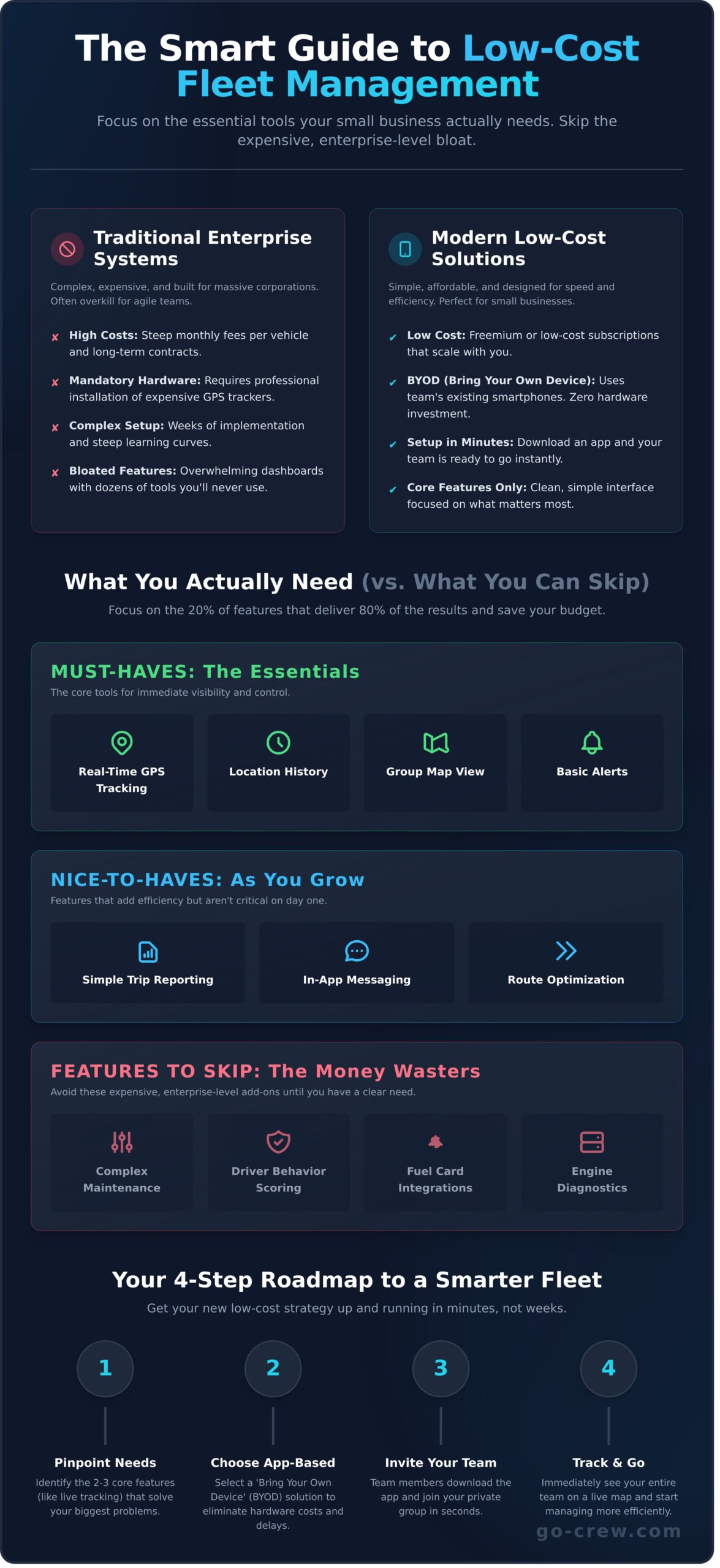
Traditional fleet management often means high monthly fees per vehicle, mandatory hardware installation, and complex dashboards built for a dedicated logistics manager. In contrast, modern low-cost alternatives are typically app-based, often use a freemium or low-cost subscription model, and focus on core functions like live location sharing. The key difference is simple: you only pay for what you use, not for a bloated suite of features designed for a massive corporate fleet.
The ‘Bring Your Own Device’ (BYOD) Advantage
One of the biggest game-changers in low cost fleet management is the ‘Bring Your Own Device’ (BYOD) model. Instead of buying and installing expensive GPS trackers in every vehicle, your team uses their existing smartphones. The cost saving is immediate-zero hardware investment. Setup is just as fast. Your team downloads an app, joins your group, and you’re ready to go in minutes, not weeks.
Core Features: What You Actually Need vs. What You Can Skip
Fleet management software can be overwhelming. Dozens of features, complex dashboards, and high price tags. But the secret to low cost fleet management is simple: focus on the 20% of features that deliver 80% of the results. When you browse roundups of the Best Fleet Management Software, you’ll see countless options. Don’t pay for bloated software you’ll never use. Let’s cut through the noise and pinpoint what you actually need.
The Must-Haves for Any Small Fleet
These are the essentials. The core tools that provide immediate control and visibility over your daily operations. Without these, you’re flying blind.
- Real-Time GPS Tracking: Know where your team is. Right now. No guessing.
- Location History: Easily review past routes to verify service calls, deliveries, or billable hours.
- Group Map View: See your entire crew on a single screen. Dispatch the closest person to the job. Fast and simple.
- Basic Alerts: Get simple notifications for key events, like a driver arriving at a job site or leaving a designated area.
The ‘Nice-to-Haves’ as You Grow
As your business expands, these features add another layer of efficiency. They aren’t critical on day one, but they can save significant time down the road.
- Simple Trip Reporting: Exporting basic data for mileage tracking or creating client invoices.
- In-App Messaging: Quick, direct communication with your team without switching apps.
- Route Optimization: Automatically finds the fastest route for multiple stops. A lifesaver for delivery or service-heavy businesses.
Features to Skip (For Now)
This is where you save big money. Enterprise-level features are overkill for most small businesses. True low cost fleet management means avoiding these expensive add-ons until you have a clear, unavoidable need for them.
- Complex Maintenance Scheduling: A shared calendar reminder works just fine for a handful of vehicles.
- Fuel Card Integration: Tracking receipts manually is easy when you only have a few drivers.
- ELD & Compliance Tools: These are legally required only for specific trucking industries, not for most local service fleets.
- Advanced Driver Behavior Scoring: Too much data, too much complexity. Direct communication is more effective for a small team.
App-Based vs. Hardware-Based Tracking: The Smart Choice for Your Budget
When you’re building a fleet management system, your first big decision is how to track your vehicles. This choice directly impacts your budget, setup time, and daily operations. The two main paths are traditional hardware-based trackers and modern, app-based solutions. Understanding the difference is key to achieving effective, low cost fleet management.
Let’s break down the technology to see which one fits your business. Making the right technology choice from the start is a fundamental principle, as this helpful small business fleet management guide explains, because it sets the foundation for controlling all future costs.
Hardware-Based GPS Trackers (The Old Way)
This is the traditional approach. A physical device is installed in each vehicle, either by plugging it into the OBD-II port (the onboard diagnostics port) or by hardwiring it directly into the vehicle’s electrical system. These devices have their own SIM card and GPS receiver to transmit location data.
- Pros: They are ‘always on’ and can capture deep vehicle data like engine fault codes, fuel levels, and harsh braking events.
- Cons: The costs add up fast. You face high upfront prices for each device, mandatory monthly subscription fees per vehicle, and potential installation costs or vehicle downtime.
App-Based Tracking (The Modern, Low-Cost Way)
This method leverages the powerful technology your team already carries: their smartphones. An app installed on the driver’s phone uses its built-in GPS to report location in real-time. It’s a simple, software-first approach that eliminates the need for extra equipment.
- Pros: There are zero hardware costs and setup is instant-your team just downloads an app. It’s incredibly flexible, allowing you to add or remove users in seconds, making it the perfect entry point for low cost fleet management.
- Cons: It depends on your employees having their phones charged and the app running. This requires clear communication and team cooperation.
For small businesses and teams that need agility without the heavy investment, the choice is clear. App-based tracking delivers the core location data you need without the cost and complexity of hardware. Ready for a simple solution? Try Go Crew for free.
How to Implement Your Low-Cost Fleet Strategy in 4 Simple Steps
Forget lengthy deployment schedules and complex software. You can implement an effective, lean fleet management system in a single afternoon. This actionable roadmap breaks the process into manageable pieces, proving that getting control of your vehicles on a budget is simpler and faster than you think.
Step 1: Define Your Single Most Important Goal
Before you download a single app, ask yourself: what is the number one problem I need to solve right now? Trying to fix everything at once leads to confusion. Focusing on one clear objective helps you choose the right minimalist tool and measure your success effectively. Start with your biggest pain point:
- Is it reducing fuel costs by optimizing daily routes?
- Do you need to provide customers with accurate, real-time ETAs?
- Is your main goal simply to eliminate constant check-in calls and texts?
Step 2: Choose a Simple, App-Based Tool
The best tool for low cost fleet management is one your team will actually use. Look for modern, app-based solutions that work on the smartphones they already have. Prioritize a user-friendly interface with a free or low-cost entry plan that requires zero training. Tools like Go Crew are designed for exactly this-you can create a private group and see your team’s live location in minutes, not weeks.
Step 3: Onboard Your Team and Set Clear Guidelines
Get your team on board by focusing on the benefits for them. Explain that this new tool means fewer interruptions, less micromanagement, and a more efficient workday. Be transparent about privacy-clarify that location sharing is only active during work hours. A quick, 5-minute demonstration is all it should take to show them how simple it is to get started.
Step 4: Measure Your Success
You don’t need complex analytics to see the impact. Success is measured in real-world improvements. Are you spending less time on the phone coordinating logistics? Is customer feedback improving because your arrival times are more accurate?
- Track the small wins: Note the reduction in “Where are you?” calls each day.
- Review location history: Spot and correct inefficient routes or unnecessarily long stops.
- Celebrate the time saved: Acknowledge the hours you and your team get back each week.
These simple metrics are the proof that your strategy is working, giving you more control with minimal investment.
Once your operations are efficient, another way to leverage your fleet for growth is through professional branding. Turning your vehicles into mobile billboards is a powerful marketing strategy. For businesses looking to enhance their fleet’s appearance and brand recognition, services like Yeahgor specialize in commercial vehicle wraps and decals.
This principle of choosing smart, effective tools extends beyond just operations. When you’re ready to grow, applying the same strategic thinking to your marketing is just as important. For businesses looking to expand their online presence, a digital marketing agency like GoUP can help build a strategy that turns efficiency into customer acquisition.
Once your operational efficiency is on track, the next logical step is to focus on growth. For many small businesses, that means improving their online presence to attract new customers. To learn about how automation can also simplify your search engine optimization, you can read more.
Your Fast Track to Smarter Fleet Management
As we’ve explored, managing your vehicles and team doesn’t have to drain your budget or your time. The secret lies in focusing on what truly matters-like real-time location sharing and clear communication-and ditching the expensive extras. By choosing a flexible, app-based system over clunky hardware, you can implement a powerful low cost fleet management strategy that is both effective and incredibly simple.
Ready to stop the guesswork and start managing with confidence? Go Crew embodies this straightforward, powerful approach. Trusted by businesses and teams worldwide for its simplicity, it cuts through the complexity. There’s no hardware to install and no contracts to sign. You can start tracking your team in under one minute with just a simple, user-friendly app.
It’s time to manage your fleet the easy way. Ready to manage your fleet the simple way? Download Go Crew today! Take control of your operations and drive your business forward with confidence.
Frequently Asked Questions
Is it legal to track my employees’ vehicles or phones?
Yes, when done correctly. Tracking company-owned vehicles is generally permissible. For personal employee phones (BYOD policies), you must get clear, written consent. The key is transparency. Create a formal policy that explains why you are tracking-for safety, dispatch efficiency, and proof of service. Always communicate this openly with your team. We recommend checking your local and state regulations to ensure full compliance.
Will GPS tracking apps drain my employees’ phone batteries?
Modern tracking apps are surprisingly efficient. They are optimized to minimize battery consumption, often using less power than social media or music streaming apps. While any running application will use some battery, the drain from a quality fleet app is minimal. Most drivers will complete a full workday without noticing a significant impact on their phone’s battery life, keeping them connected without the hassle.
What’s the difference between a low-cost app and just using Google Maps location sharing?
Google Maps is designed for personal use, not business operations. A dedicated fleet management app provides a central dashboard to view your entire team, access detailed trip histories, and analyze performance data. It offers business-critical features like job status updates, route optimization, and reporting. Google Maps shows a dot on a map; a fleet app gives you the control and insights to run your business more effectively.
How much does a truly low-cost fleet management app cost?
You can get started for less than the price of a few coffees. A truly low cost fleet management solution typically uses a simple per-user, per-month subscription model. Prices often range from $5 to $15 per driver. This approach eliminates the need for expensive hardware or long-term contracts, making it an incredibly affordable way for businesses of any size to gain powerful operational control and real-time visibility.
Can my business be too small for fleet management?
Not at all. If you have two or more vehicles on the road, you can see immediate benefits. It’s not about the size of your fleet, but the efficiency of your operation. Knowing your team’s real-time location helps you make smarter dispatch decisions, provide customers with accurate ETAs, and verify job completion. It’s a tool that provides value from your very first vehicle and scales as you grow.
Do I need special phones or data plans for app-based tracking?
No special equipment is needed. That’s the core advantage of app-based systems. They work on any standard Android or iOS smartphone your team already uses. These apps are also engineered to be light on data, typically consuming a very small amount over a full day. Your employees’ existing mobile plans will be more than sufficient, allowing you to get started immediately without any extra hardware or telecom costs.
