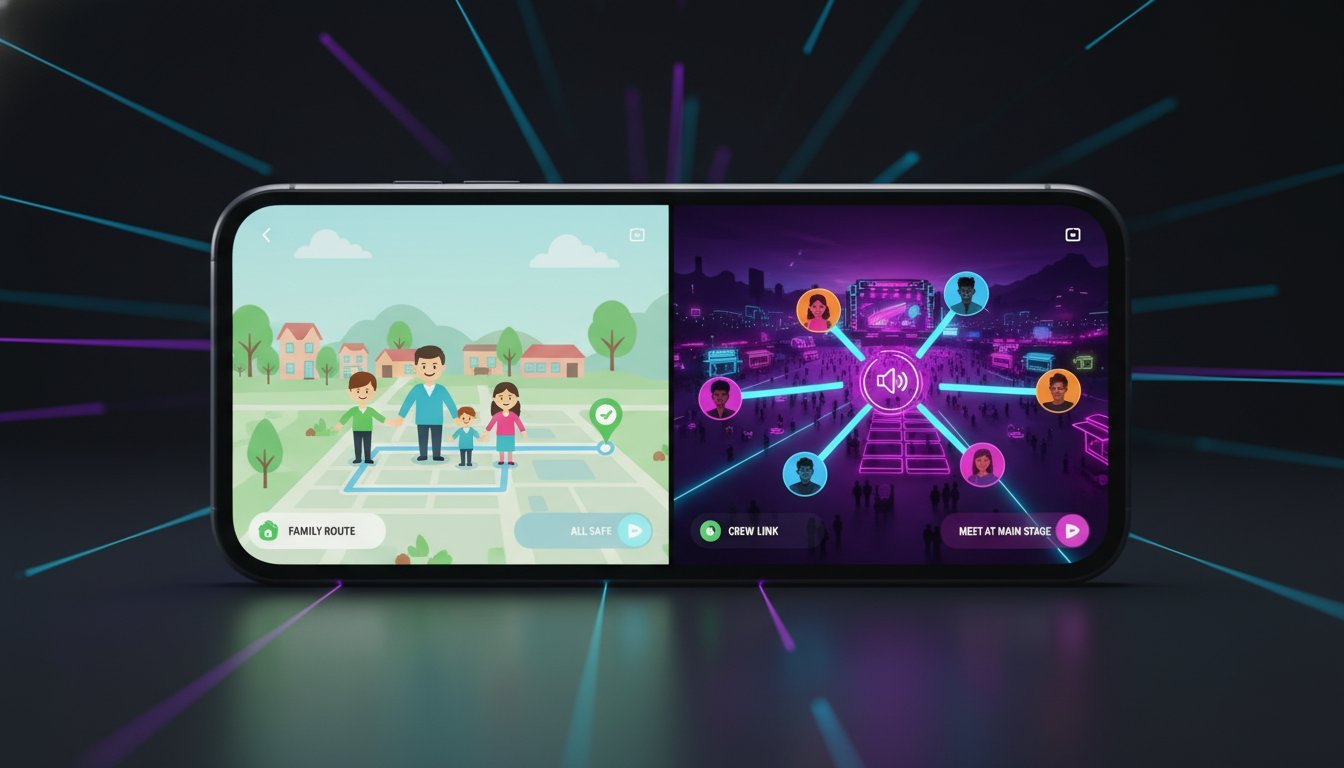

Ever felt like using Life360 to find your friends at a festival is like using a sledgehammer to crack a nut? You just need to know where they are right now-not get a detailed report on their driving habits or drain your battery before the headliner even starts. If you’re tired of invasive features, poor performance, and paying for extras you don’t need, you’re in the right place. The days of one-size-fits-all location sharing are over, and it’s time to find a tool that actually fits your life.
Welcome to your definitive 2026 showdown: Life360 vs. Go Crew. We’re cutting through the noise to deliver a fast, clear, side-by-side comparison. Forget digging through feature lists. We’ll break down everything that matters-from real-time accuracy and battery drain to privacy controls and pricing. By the end of this article, you will know exactly which app is the perfect fit for keeping your family safe versus simply coordinating your next group adventure with ease.
Key Takeaways
- Discover if Life360‘s robust suite of family safety features is the right fit for monitoring your kids, or if it’s more than you actually need.
- Learn how Go Crew offers a streamlined, real-time tracking solution designed for coordinating active groups at festivals, on road trips, or during rides.
- Pinpoint the crucial difference between apps built for constant family oversight versus those designed for fast, temporary group meetups.
- Get a clear, side-by-side comparison to confidently choose the app that saves you time and solves your specific tracking problem.
Table of Contents
- What is Life360? A Deep Dive into the Family Safety Giant
- The Downsides: Why Life360 Isn't for Everyone
- Go Crew: The Fast, Simple Alternative for Active Groups
- Life360 vs. Go Crew: A Head-to-Head Comparison
- Conclusion: Which App Should You Choose?
What is Life360? A Deep Dive into the Family Safety Giant
When it comes to family safety apps, Life360 is a household name. Its core mission is simple yet powerful: to connect and protect the people who matter most. Primarily designed for parents keeping an eye on their children and teens, the app has grown into a global phenomenon, boasting over 50 million monthly active users. It operates on the concept of ‘Circles’-private groups for your family, friends, or even a carpool group-allowing you to see everyone on a single, real-time map. For a deeper dive into its history and features, the Life360 Wikipedia page offers a comprehensive overview.
To see how the app works in action, check out this quick tutorial:
Life360’s Core Features
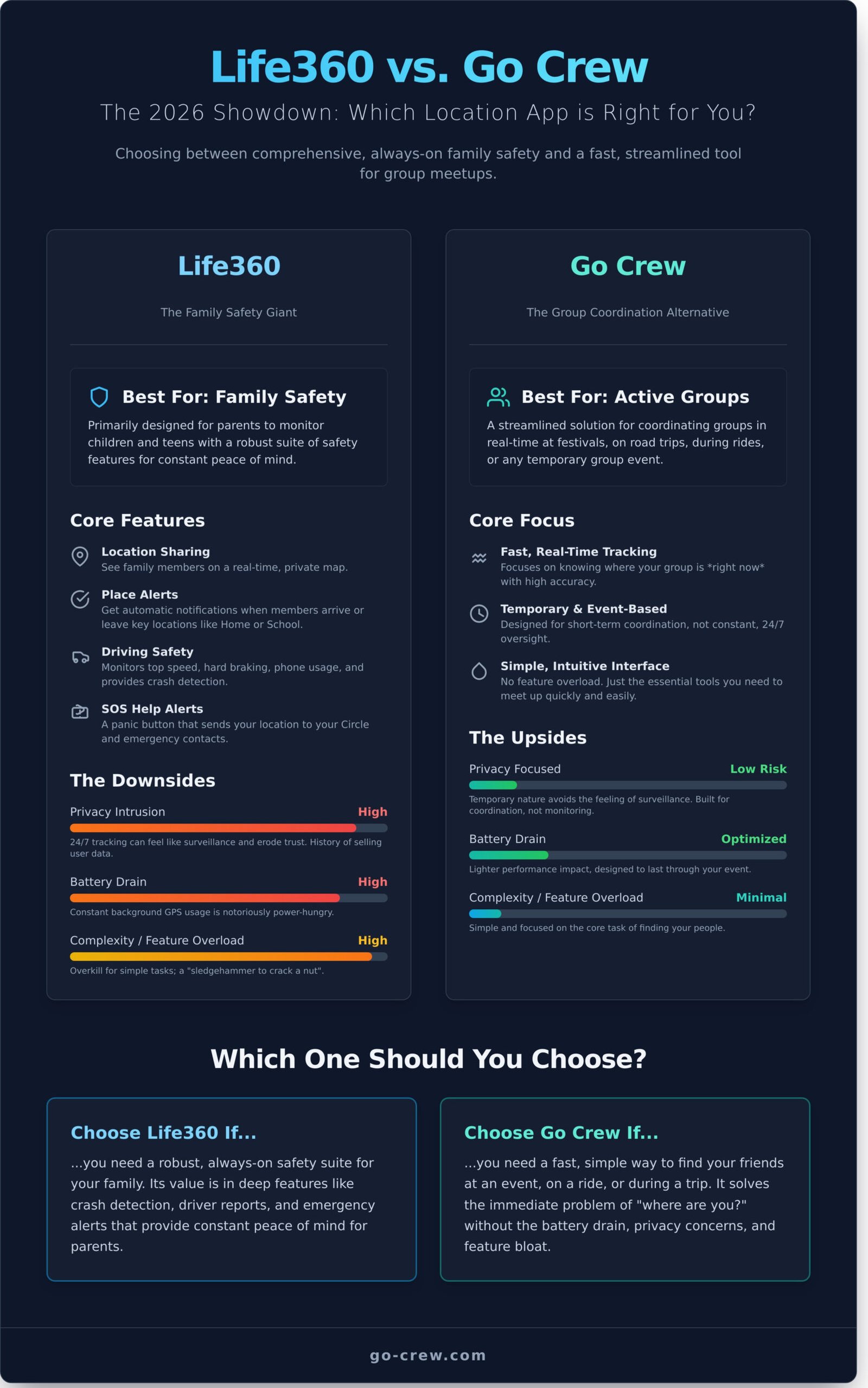
The platform is packed with features designed for peace of mind. While the list is long, four key functions form the backbone of the Life360 experience:
- Location Sharing: See your Circle members’ real-time whereabouts on a private map. No more “where are you?” texts.
- Place Alerts: Set up key locations like ‘Home,’ ‘School,’ or ‘Work’ and get automatic notifications when a family member arrives or leaves.
- Driving Safety: For new drivers, this is a game-changer. It provides reports on top speed, hard braking, and phone usage while driving, plus automatic Crash Detection.
- SOS Help Alerts: A discreet panic button that instantly sends a help alert with your location to everyone in your Circle and your emergency contacts.
Pricing Tiers Explained (Free, Silver, Gold, Platinum)
Life360 operates on a freemium model. The free version is quite capable, offering location sharing, 2 days of location history, and alerts for two Places. However, to unlock the app’s full potential, you’ll need a premium subscription. Paid plans-Silver, Gold, and Platinum-add layers of protection.
Upgrading gives you access to benefits like extended location history (30 days or more), unlimited Place Alerts, individual driver reports, and emergency services like roadside assistance, stolen phone protection, and even identity theft protection on the highest tiers. Premium memberships are billed monthly or annually per Circle, with prices typically ranging from around $14.99 to $24.99 per month.
The Downsides: Why Life360 Isn’t for Everyone
Life360 is a powerhouse in the family safety space, and for good reason. Its comprehensive feature set offers deep insights and peace of mind for parents and close-knit families. But that same power can be its biggest weakness when your needs are simpler. More features aren’t always better.
Choosing the right app means matching the tool to the task. If you’re looking for a lightweight, fast way to coordinate a group for a few hours, a heavy-duty family safety suite might be overkill. Let’s break down the common pain points users report with Life360 when using it outside its core family-safety purpose.
Privacy Concerns and the Feeling of Being ‘Watched’
The most common complaint revolves around privacy. The classic “teenager vs. parent” debate highlights how constant, 24/7 tracking can feel intrusive and erode trust. This feeling isn’t limited to families; using it among friends or peers for a casual meetup can create an uncomfortable dynamic of surveillance rather than simple coordination. Beyond social friction, the app has faced serious scrutiny over its data handling. A report, later covered by a major tech publication, revealed the company was selling precise location data to third-party brokers. While policies have been updated, this history is a major red flag for privacy-focused users.
Battery Drain and Performance Impact
To provide real-time updates, location-sharing apps need to run continuously in the background and frequently use your phone’s GPS. This process is notoriously power-hungry. Many users report that Life360 significantly drains their battery, which can be a deal-breaker during a long day at a festival or on a road trip. This constant background activity can also slow down older phones, making the entire device feel sluggish. While this is a common trade-off for location apps, the issue is often more pronounced with feature-heavy platforms.
Feature Overload for Simple Group Coordination
Imagine you’re trying to find your friends at a concert or track your cycling group on a Sunday ride. Do you really need to know their driving speed, get a weekly driver report, or have an SOS button with emergency dispatch? For temporary, event-based coordination, features like these are simply unnecessary clutter. Setting up permanent “Circles” for a one-off event feels clunky and inefficient. It’s like using a sledgehammer to hang a picture frame-a powerful tool, but entirely wrong for the job.
Go Crew: The Fast, Simple Alternative for Active Groups
While many location-sharing apps focus on constant family monitoring, Go Crew carves out a different path. Its core mission is built on two principles: TIME-SAVING & SIMPLICITY. This isn’t an app for tracking your family’s every move 24/7. Instead, Go Crew is a lean, powerful tool designed for coordinating active groups in the moment.
It’s built for people on the move. Think of a motorcycle club on a weekend ride, a group of cyclists navigating a new trail, or friends trying to find each other in the chaos of a music festival. If you find the comprehensive, always-on features of an app like Life360 to be more than you need for a simple meetup, Go Crew is the focused alternative you’ve been looking for. It strips away the family safety “bloat” to deliver one thing perfectly: fast, easy, temporary group location sharing.
How Go Crew Works: In 1 Minute You’re on Your Way
Getting started with Go Crew is incredibly fast. There are no complex setups or permanent relationship requests. The entire process is designed to get your group moving without delay:
- Create a Crew: Open the app and start a new group with one tap.
- Share the Link: Send a simple, secure link to your friends via any messaging app.
- Go: As soon as they click the link, they appear on your map. That’s it.
Unlike Life360, which requires you to build a permanent “Circle” of family or friends, Go Crew’s groups are temporary by design. The user-friendly interface is clean and intuitive, eliminating friction so you can focus on the activity, not the app.
Key Features Built for Action
Go Crew’s features are intentionally streamlined for real-world, active scenarios. You get exactly what you need, with no unnecessary distractions.
- Real-Time Tracking: See everyone’s live location on a single map, complete with their current speed and heading-critical data for motorsports and cycling groups.
- Group Focus: The interface is 100% dedicated to your active ‘Crew.’ No complicated menus or secondary features to navigate. Just a clear, simple map of your group.
- Temporary by Design: Crews are created for a specific event, ride, or meetup. Once the event is over, the group tracking ends. No lingering connections or privacy concerns.
See how easy group tracking can be. Download Go Crew!
Life360 vs. Go Crew: A Head-to-Head Comparison
When you’re choosing a location-sharing app, the details matter. While both apps connect you with your people, their core purpose, features, and philosophy are fundamentally different. This breakdown cuts through the noise to help you decide which tool is right for your specific needs.
Best For: Family Safety vs. Group Activity
This is the clearest distinction. Life360 is built for parents who need constant peace of mind. It’s a digital safety net. Go Crew is for coordinating a group in motion-friends meeting at a festival, a cycling club on a ride, or a convoy of cars on a road trip. Think of it this way: Life360 is a home security system, while Go Crew is a set of real-time walkie-talkies for your map.
Core Philosophy: Comprehensive Protection vs. Streamlined Simplicity
The life360 app aims to be an all-in-one safety suite, packing in everything from location history to emergency services. This is powerful but can make the app feel heavy. Go Crew’s philosophy is different: do one thing perfectly. It focuses exclusively on fast, easy, real-time group location sharing. The goal is time-saving and simplicity, getting your group connected and on the move in under a minute.
Privacy Model: Always-On vs. On-Demand
Your privacy and battery are critical. Life360’s always-on model is ideal for its purpose but means the app is constantly tracking in the background. Go Crew is event-based. You start a session, share your location with your crew for a specific duration, and when you’re done, you’re done. This on-demand approach respects your privacy and conserves your battery for the activity itself. Ready for location sharing that couldn’t be easier? See if Go Crew is the right fit for your next adventure.
Conclusion: Which App Should You Choose?
After comparing both apps, the choice between Life360 and Go Crew comes down to a single question: What is your primary goal? There is no one-size-fits-all answer. The “best” app is the one that solves your specific problem efficiently and effectively. One is a comprehensive family safety platform, while the other is a streamlined tool for real-time group coordination.
To make your decision easy, we’ve broken it down based on the most common user needs. See which profile fits you best.
Choose Life360 if…
Life360 is the clear choice for users who prioritize long-term, comprehensive family safety and monitoring. It’s designed to provide peace of mind through a robust set of features that go beyond simple location tracking. It’s an “always-on” solution for close-knit family units.
- You are a parent wanting detailed insights into your teen’s location history and driving habits.
- You need advanced safety features like Crash Detection, SOS alerts, and 24/7 emergency support.
- Your family is comfortable with continuous location sharing for constant security and connection.
Choose Go Crew if…
Go Crew is built for speed, simplicity, and temporary events. It excels at getting a group of people coordinated quickly without the feature bloat or privacy concerns of a constant monitoring app. It’s the perfect tool for dynamic, in-the-moment situations.
- You need to coordinate friends for a festival, find your group on a bike ride, or manage a convoy on a road trip.
- You value a clean, fast, and user-friendly interface that gets the job done without any interruptions.
- You want a battery-efficient app for temporary, high-accuracy tracking that respects everyone’s privacy once the event is over.
- Ready for a simpler way to track your crew? Try Go Crew today!
While Life360 offers a wide range of family-oriented safety features, Go Crew delivers on its core promise: making group location sharing easier and faster than ever before. For coordinating any group activity, it’s the smarter, more efficient choice.
Your Crew, Your Choice: The Verdict on Life360 vs. Go Crew
Choosing the right location sharing app in 2026 comes down to one thing: your mission. If you need a comprehensive, feature-rich suite for total family safety and monitoring, the robust platform of life360 is a powerful contender. However, for dynamic, in-the-moment group coordination, its complexity can be a drawback, slowing you down when speed matters most.
This is where Go Crew shines. It’s built for one purpose: fast, simple, and real-time group tracking. There’s no bloat, just pure efficiency. Whether you’re navigating a crowded festival, coordinating a cycling route, or keeping your motorsports team in sync, Go Crew delivers an experience where Group Location Sharing Couldn’t Be Easier. It’s designed to be easy and fast, getting you and your friends connected in seconds, not minutes.
Ready to ditch the complexity and focus on the action? Stop guessing where your friends are. Download Go Crew for free! Get your crew on the map and never miss a moment of the adventure.
Frequently Asked Questions: Life360 vs. Go Crew
Is Go Crew a good free alternative to Life360?
Yes, Go Crew is an excellent free alternative for specific situations. It excels at temporary, event-based location sharing for activities like road trips, festivals, or bike rides. While Life360 offers more in-depth, always-on family safety features in its paid tiers, Go Crew provides a fast, simple, and entirely free solution for real-time group coordination. It’s perfect for users who need location sharing for a specific event without a long-term commitment.
Does Life360 or Go Crew use more battery?
Both apps impact battery life, but their design leads to different usage patterns. Go Crew is optimized for short-term, high-accuracy tracking during an active event, so its drain may be more noticeable during that period. Life360 is built for continuous, all-day background monitoring and uses various methods to conserve power. Your battery usage will depend on your needs: Go Crew is efficient for a few hours, while Life360 is designed for 24/7 operation.
Can I use Life360 to track friends instead of family?
Absolutely. Although Life360 is primarily marketed for families, its core feature is the “Circle.” You can create multiple Circles and invite anyone you want, including friends, roommates, or colleagues for a work event. The functionality is not restricted to relatives. This makes it a versatile tool for any trusted group that wants to share locations for easier meetups or to ensure everyone gets home safely after a night out.
What are the main privacy differences between Life360 and Go Crew?
The main difference lies in their data philosophy. Go Crew is built for temporary and anonymous use; you can join a group with a simple code and don’t need to provide extensive personal information. Groups can be set to expire automatically. Life360, on the other hand, is based on persistent profiles and Circles, collecting detailed location and driving history over time to power its safety features. Go Crew prioritizes event-based privacy, while Life360 focuses on long-term monitoring.
Can I track a car’s speed with Go Crew like I can with Life360’s driving reports?
No, Go Crew does not offer driver behavior analysis. Its purpose is to show the real-time location of group members on a map, not to monitor how they are driving. For features like speed tracking, hard braking detection, and phone usage reports, you would need a dedicated driver safety app like Life360, which includes these comprehensive tools in its premium subscription plans. Go Crew is about coordination, not monitoring.
How do I create a temporary group in Go Crew for an event?
Creating a temporary group in Go Crew is designed to be incredibly fast. Simply open the app, tap “Create Group,” and give your event a name. The app instantly generates a unique code or shareable link. Send this to your friends, and they can join immediately-no complex sign-up required. You can also set an expiration time for the group, ensuring it automatically dissolves after your concert or meetup is over.
